
(version 3.0 released February 2012!)
The internationally acclaimed Jalapeno License Key Finder is THE product key finder for revealing almost any Windows license key, and so much more. In fact it is the best free key finder for almost 200 software products,
including your Microsoft Office 2007 serial number, Windows XP serial number, Windows Vista serial number and almost any other Windows license key.
If you need something more powerful, please compare Jalapeno Keyfinder with wonderful tool called "Recover Keys".
This advanced product key finder is not free, however it doesn't cost much for what it does.
| Features | Jalapeno Keyfinder | Recover Keys |
|---|---|---|
| Number of supported programs | 200 | 9000+ |
| Scan another or non-bootable Windows | ||
| Works with 64-bit systems | ||
| Recover serials for Adobe CS2-CS6 products | ||
| Recover serials for Windows 7, 8 & Office 2010 | ||
| Scan remote computers | ||
| Scan files for product keys | ||
| Portable USB version | ||
| Technical support | ||
| Save to… | TXT | TXT, CSV, HTML, DOC, XLS, XML, PDF & more |
| Price | Free | From $29.95 |
| Download | Download | Download |
Jalapeno KeyFinder has now evolved from a humble Visual Basic script into a robust and secure Microsoft .NET application. And as such it now works on ALL versions of Windows, both Workstation
and Server, and on both 32-Bit and 64-Bit versions. And because we've built License Keyfinder 3.0 on Microsoft's flagship .NET framework, it will even work on future operating
systems from Microsoft. So for less that 10 bucks you can have a utility that will serve you faithfully forever!
To maintain our 3-clicks-and-you-done ease of installation policy, when Keyfinder is installing it will check your system to see if you have the .NET framework installed,
and if not, it will quietly install that technology in the background for you too. How cool is that!
This is a must have utility for anyone who needs to retrieve a software license key, and is simply the best license key finder available. Jalapeno Software has been a leader in
the Key Finder game for over 5 years now, and it shows in our sophisticated but easy to use software, like the Jalapeno Key Finder.
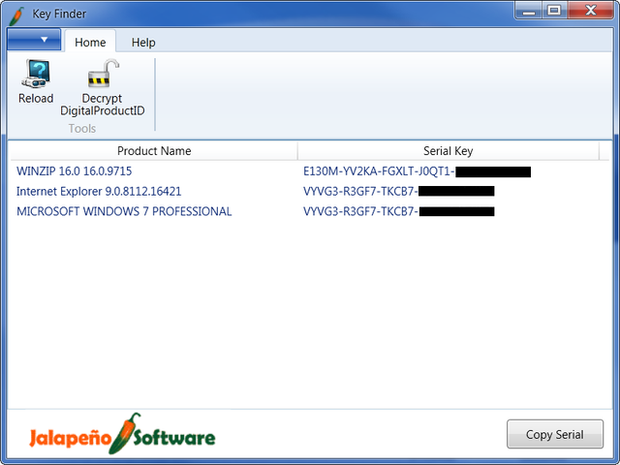
 "With so many different serial numbers to keep track of, Jalapeno Keyfinder will find your Windows operating system serial number for you in a pinch"
Erika Ho
Lifehacker.com - Jalapeno Keyfinder Retrieves Lost Serial Numbers
 "Jalapeno Keyfinder is a very easy to use, straightforward keyfinder program."
Tim Fisher
About.com - Top 6 Premium Product Keyfinder Programs
 "The best keyfinder I have ever used."
Shane Robinson
IT Project Manager
Federal Law Enforcement Training Center